# Portfolio APIs
> Everything you need to view onchain assets.
> For the complete documentation index, see [llms.txt](/docs/llms.txt).
Portfolio APIs include *everything* you need to build a view of a user's assets: fungibles, NFTs, and their transactions.
## **Why Portfolio APIs?**
* **Multi-chain**: All Portfolio APIs are multi-chain -- get all the data you need in a single API request, instead of parallelizing dozens of calls across different networks.
* **Powerful**: Query for the metadata you need (e.g. cached images, token metadata, prices) within the same API call.
* **Constantly improving**: These APIs are continuously improving, based on customer feedback.
* **Long-term partners**: We have 7+ years of experience supporting the largest onchain customers and will be around to support you for the long term.
* **Scalable**: These APIs power some of the biggest wallets in the space -- rest assured that we can scale with you.
| [**Get Tokens By Wallet**](/docs/data/portfolio-apis/portfolio-api-endpoints/portfolio-api-endpoints/get-tokens-by-address) | [**NFTs By Wallet**](/docs/data/portfolio-apis/portfolio-api-endpoints/portfolio-api-endpoints/get-nfts-by-address) | [**Transfers By Wallet (Beta)**](/docs/data/portfolio-apis/portfolio-api-endpoints/portfolio-api-endpoints/get-transfers-by-address) |
| ----------------------------------------------------------------------------------------------------------------------------------------- | --------------------------------------------------------------------------------------------------------------------------------------------------------- | ------------------------------------------------------------------------------------------------------------------------------------------- |
| 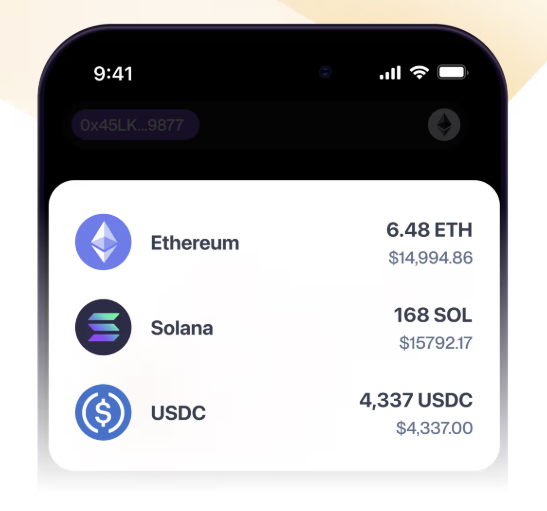 |  |  |
| **Ideal for:** Multi-chain token experiences, balance indexing
**How it works:** Call an API to get balances, metadata, and prices. | **Ideal for:** NFT drops, token gating, analytics, wallets, marketplaces
**How it works:** Call an API to return multi-chain and complete NFT data. | **Ideal for:** Wallets
**How it works:** Get transfer history for one wallet across multiple networks. |
## Handling partial failures
The Portfolio API has two partial-error behaviors. The token and NFT endpoints use one behavior. Transfers By Wallet uses another behavior.
### Token and NFT endpoint behavior
This behavior applies to these endpoints:
* [Tokens By Wallet](/docs/data/portfolio-apis/portfolio-api-endpoints/portfolio-api-endpoints/get-tokens-by-address)
* [Token Balances By Wallet](/docs/data/portfolio-apis/portfolio-api-endpoints/portfolio-api-endpoints/get-token-balances-by-address)
* [NFTs By Wallet](/docs/data/portfolio-apis/portfolio-api-endpoints/portfolio-api-endpoints/get-nfts-by-address)
* [NFT Collections By Wallet](/docs/data/portfolio-apis/portfolio-api-endpoints/portfolio-api-endpoints/get-nft-contracts-by-address)
These endpoints can return results from some networks when other networks fail. The response has HTTP 200 and includes a top-level `error` object.
The `error` object lists the networks that failed. The successful results remain in the top-level `data` object.
The response omits the `error` key when all networks succeed.
#### Response shape
```json
{
"data": { /* successful results, possibly an empty array */ },
"error": {
"message": "Failed to fetch tokens on certain networks",
"partialErrors": [
{ "network": "eth-mainnet", "message": "Internal server error" }
]
}
}
```
The message fields contain human-readable context. Do not use these fields for programmatic decisions.
#### Pagination and retries
* A failed network is not present in the next page. The `pageKey` does not retry that network.
* A network can occur more than once in `partialErrors` when multiple request entries use that network.
* Retry only the listed networks. Use a new request and stop after a fixed number of attempts.
* Return the successful data to the client. Do not discard the response because it contains `error`.
* On Tokens By Wallet, the top-level `error` is different from `data.tokens[].error`. The nested error describes a token metadata or price error.
### Transfers By Wallet behavior
[Transfers By Wallet (Beta)](/docs/data/portfolio-apis/portfolio-api-endpoints/portfolio-api-endpoints/get-transfers-by-address) returns successful items in the top-level `transfers` array.
A partial error can describe a failed network. It can also describe one unsupported category on a network.
If only one category is unsupported, the same network can still return transfers from its other requested categories. Always process the `transfers` array.
The response has HTTP 200 in both cases. The response omits the `error` key only when the full request succeeds.
Each transfer partial error has a required `state`:
* `unsupported`: The network or category is not supported. Do not retry the same request.
* `timeout`: The network query timed out. You can retry it with a fixed attempt limit.
* `error`: The network query failed. You can retry it with a fixed attempt limit.
The message fields contain human-readable context. Use `state`, not the message text, for programmatic decisions.
#### Pagination and retries
* A fully failed network is not present in the next page. The `pageKey` does not retry that network.
* An unsupported category does not remove the network from pagination. Supported categories on that network remain in the next page.
* The same category partial error can occur on later pages.
* Do not retry an `unsupported` error unless you change the network or category selection.
* Retry `timeout` and `error` states only for the listed networks. Use a new request and stop after a fixed number of attempts.
* Continue to use `pageKey` for successful networks and supported categories.
* Return the successful transfers to the client. Do not discard the response because it contains `error`.
## Feedback?
Get in touch with us directly:
**Email**: data-services-product@alchemy.com